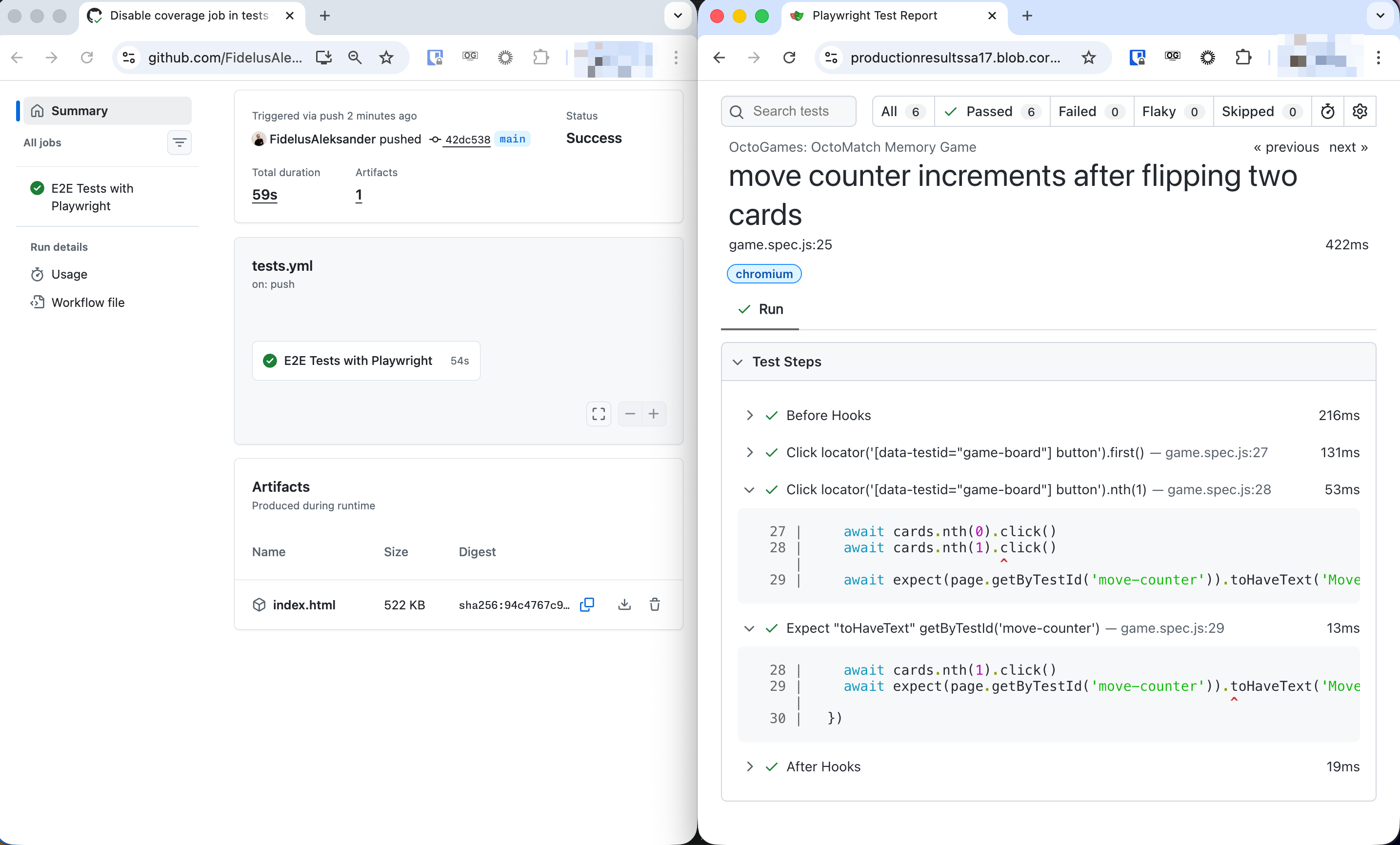
Support for non-zipped artifacts is here
Historically, GitHub Actions has only supported uploading artifacts as zip files. The actions/upload-artifact action automatically zipped the files. Downloading them using the actions/download-artifact action would then unzip them.
This is changing with new versions of both actions that now support non-zipped artifacts.
Uploading non-zipped artifacts
Starting with the v7.0.0 release of the actions/upload-artifact action, you can now include the archive: false parameter to skip zipping the file during upload.
- uses: actions/upload-artifact@v7
  with:
    path: playwright-report/index.html
    archive: false
    name: will-not-be-used
This will upload the index.html file as a non-zipped artifact. When you click on the artifact in the GitHub UI, it will open the file preview in your browser.

Important notes
| Aspect | Behavior |
|---|---|
| File support | Only single file uploads are supported with archive: false. Multiple files will throw an error. |
| Artifact naming | The name parameter is ignored. The artifact name will match the uploaded file name. |
Downloading artifacts behavior
The actions/download-artifact action starting with version v8.0.0 will check the Content-Type header to determine if the artifact is a zip file. If it is not a zip file, it will download the artifact as-is without attempting to unzip it.
Callers wishing to download a zipped file as-is can also set the new skip-decompress parameter to true.
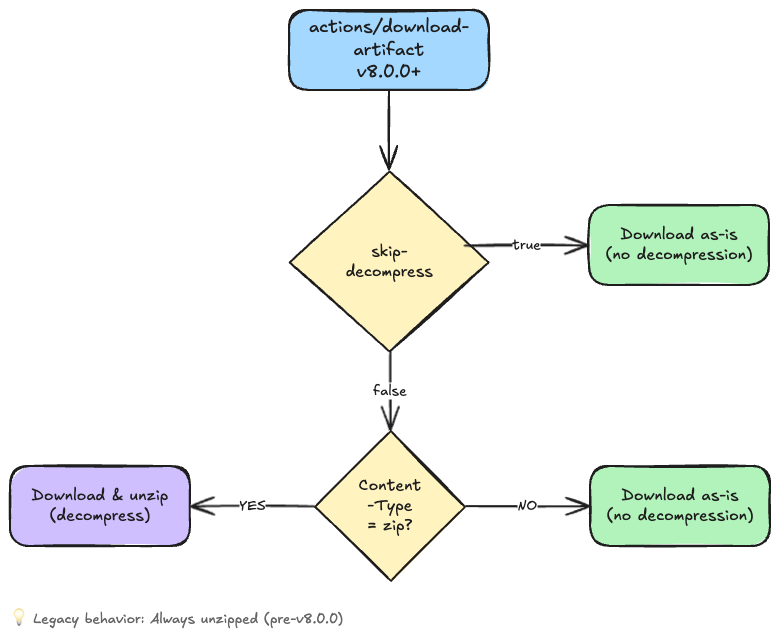
This preserves backward compatibility.
Try it yourself
Want to get hands-on experience with workflow artifacts?
Try the hands on GitHub Skills exercise called Work with Workflow Artifacts that teaches you all the artifact interaction mechanisms step-by-step.