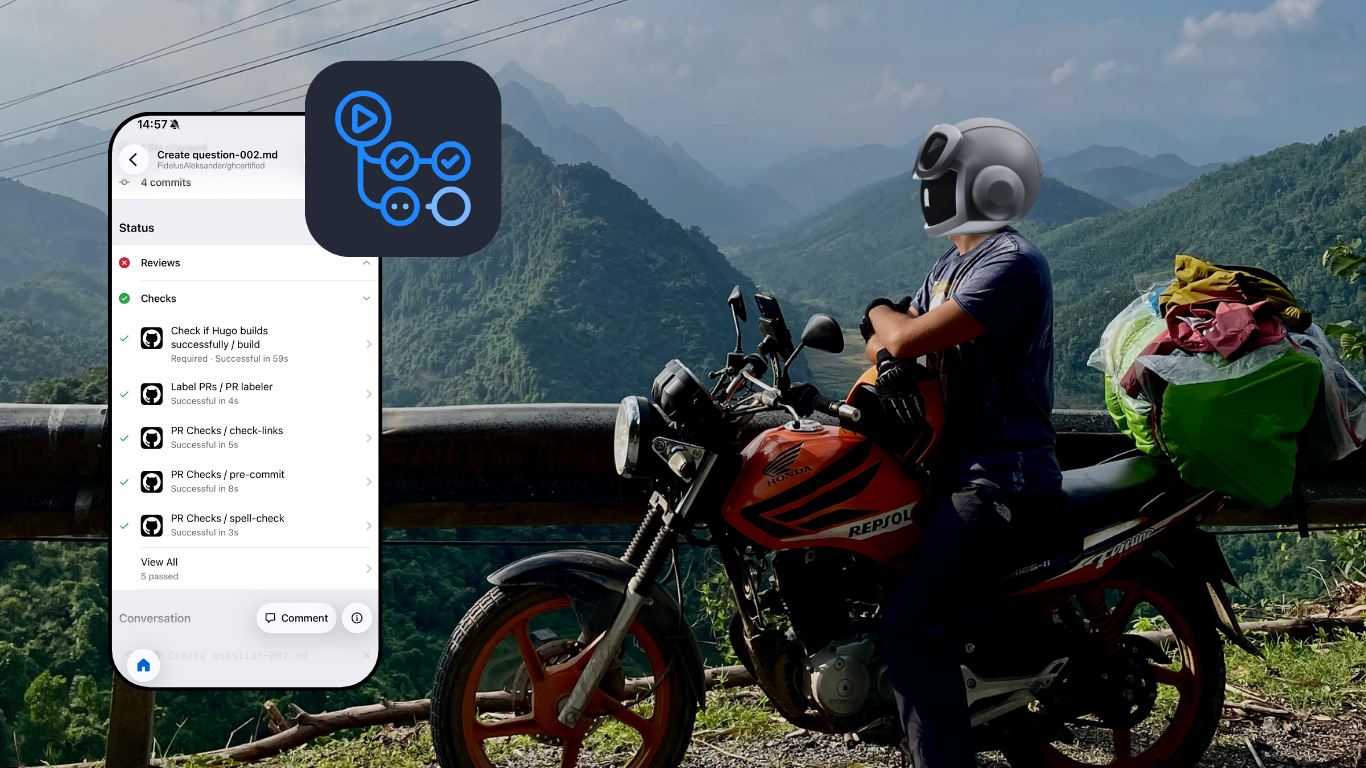
The Challenge: Maintaining on the Road
Back in 2024, my wife and I were preparing to spend several months in south east Asia, mainly motorbiking Vietnam. We had just got married, we both quit our jobs to take a break and booked a one way ticket with no set timeframe for when we wanted to get back home.
There was just one problem…. I really did not want to leave ghcertified - an open source project that I maintain unattended for months.
I couldn’t bring a laptop. We were going to be motorbiking across Vietnam on a single 125cc Honda Fortune with just two backpacks and could not spare space for it. Also that would kind of defeat the purpose of the trip.
I thought to myself:
What if I can setup some automation to allow me to comfortably keep the project running using only my phone 🤔
So before we left for our journey, that’s exactly what I built. A GitHub Actions workflow triggered straight from my phone.
In this post I’ll take you through the road to the solution, the lessons learned, and what I’d do differently today.
Quick background on ghcertified
Before diving into the solution, let me give you some context on the project itself.
ghcertified.com is an open source project I built that offers free practice tests for all GitHub Certification exams.
Hundreds of questions contributed by the community, thousands of users studying for exams
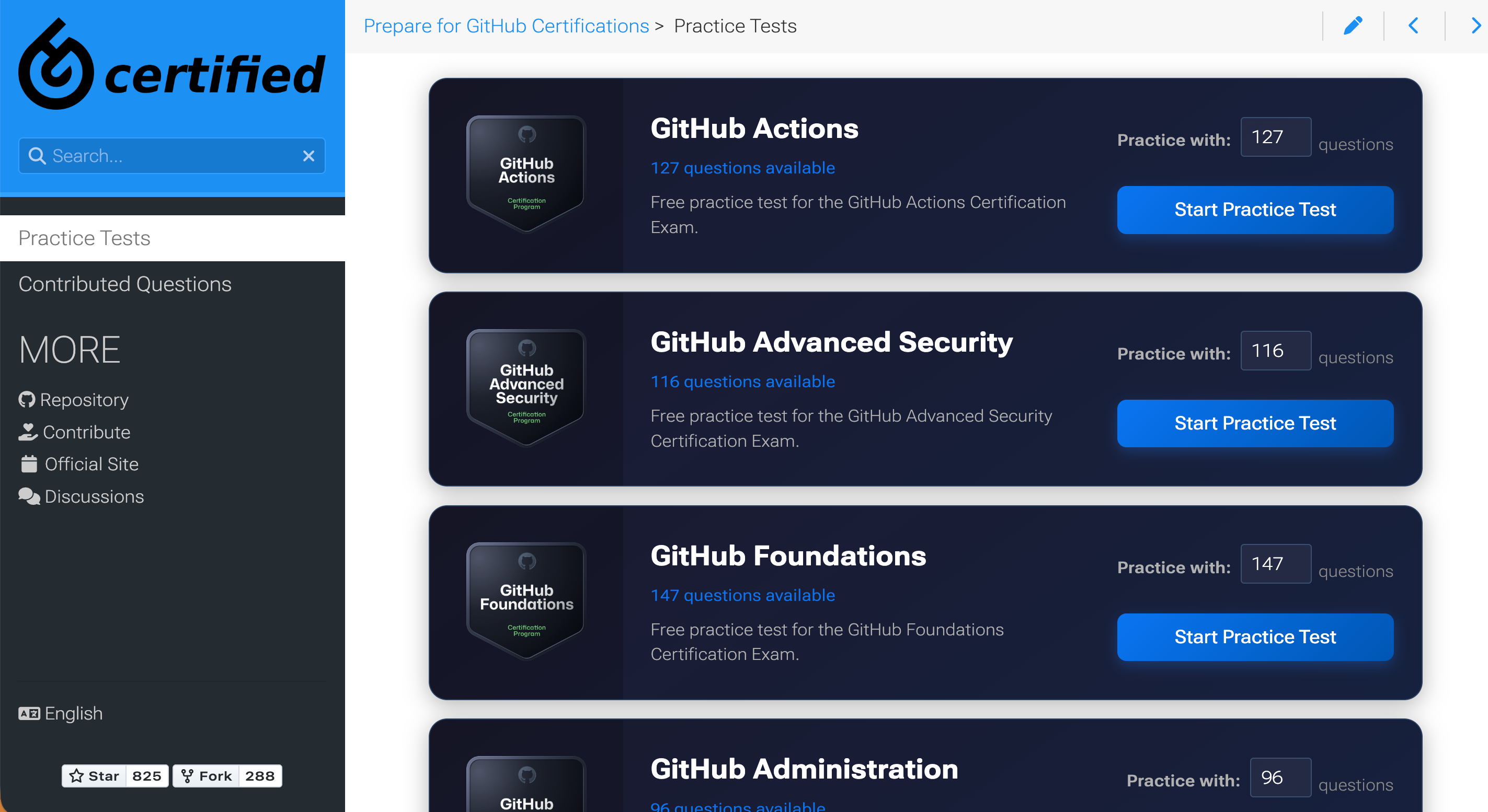
I needed every PR to be properly verified before going live. Debugging and fixing issues from my phone simply wasn’t an option.
🙏 Before leaving I also reached out to one of the contributors, Johan Nordberg, who graciously agreed to help with reviewing incoming PRs while I was away. Huge shoutout to him for that! 🙏
The Goal: Visual Verification
So what did I need to comfortably maintain the project from GitHub Mobile?
I already had an existing CI (continuous integration) workflow that ran several checks for any proposed changes - and for most PR’s coming in that was usually enough for me.
However, I’ve had situations where CI checks missed specific issues that broke practice tests. At home, I could quickly revert and fix them.
That was not something I would want to deal with when sipping my daily roadside Bạc Xỉu coffee with only my phone available.
A month or two before we left for our trip I knew what I had to do:
🎯 GOAL 🎯: I needed a way to request a preview environment of my website straight from my phone. A running website on a separate domain with the proposed changes from any pull request.
This would allow me to visually verify changes before merging, giving me the peace of mind that everything works as expected before the changes go live to my users.
Cloudflare preview deployments
Let’s first understand the stack behind ghcertified and how it is deployed.
The main ghcertified page is hosted on Cloudflare Pages and is updated automatically through Cloudflare’s GitHub App. Every time the master branch is updated, the website on ghcertified.com updates.

Cloudflare Pages also offers preview deployments. If you enable that, then every time you open a new pull request on your GitHub repository, Cloudflare Pages will deploy changes from that PR to a preview environment and post the URL to that environment as a pull request comment.
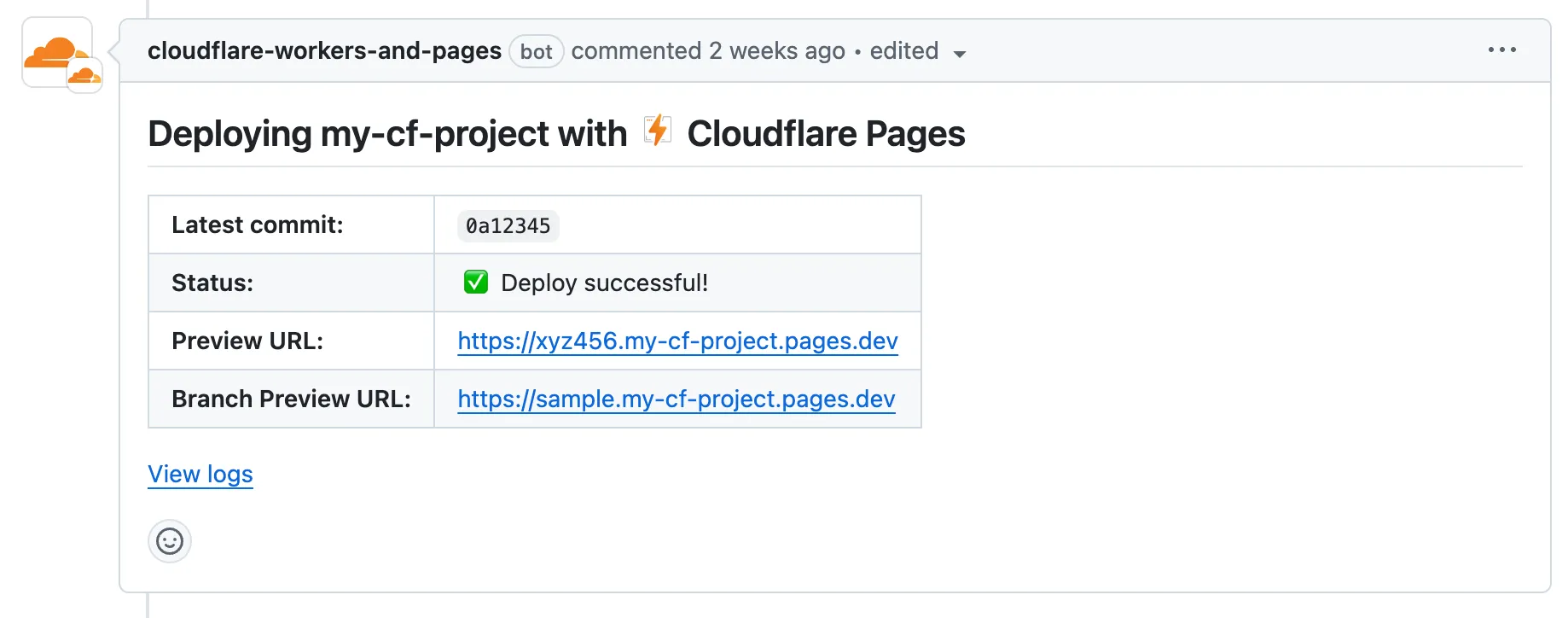
At first I thought I’m all set - this is exactly what I needed! Right?
Almost… that approach only works for pull requests that originate from the same repository.
This means it does not work for PRs coming from forks, which is how all external contributions to open source repositories come in.
I need a custom solution…
Building preview deployments with GitHub Actions
I discovered that Cloudflare provides a GitHub Action called cloudflare/pages-action that can deploy to Cloudflare Pages.
Perfect! I can create a GitHub Actions workflow that deploys to Cloudflare Pages from any pull request, including forks.
But I didn’t want it running automatically on every PR.
Why not? Several reasons:
- Not all changes needed a preview deployment (like fixing a typo in a question)
- Cloudflare’s free tier has usage limits
- And most importantly, security concerns with running builds from forked PRs (which I will address later)
I needed a trigger I could activate manually, on demand from GitHub Mobile while on the road.
First thought: let’s use Pull request labels.
Labels are perfect because:
- Only repository members can apply them. Meaning I could control when the workflow runs
- They’re easy to add from GitHub Mobile with just a few taps
Here’s the workflow I started with:
name: Deploy Preview Site

on:
  pull_request:
    types:
      - labeled

permissions:
  contents: read
  pull-requests: write

jobs:
  deploy:
    name: Deploy to Cloudflare Pages
    if: github.event.label.name == 'request-preview-deployment'
    runs-on: ubuntu-latest
    steps:
      - uses: actions/checkout@v4
        with:
          submodules: recursive
          fetch-depth: 0

      - name: Setup Hugo
        uses: peaceiris/actions-hugo@v3
        with:
          hugo-version: '0.117.0'

      - name: Build site
        run: hugo

      - name: Deploy to Cloudflare Pages
        id: deploy
        uses: cloudflare/pages-action@v1
        with:
          apiToken: ${{ secrets.CLOUDFLARE_API_TOKEN }}
          accountId: ${{ secrets.CLOUDFLARE_ACCOUNT_ID }}
          projectName: ${{ vars.CLOUDFLARE_PROJECT_NAME }}
          directory: 'public/'
          branch: ${{ github.event.pull_request.head.ref }}

      - name: Create comment
        uses: peter-evans/create-or-update-comment@v4
        with:
          token: ${{ secrets.GITHUB_TOKEN }}
          issue-number: ${{ github.event.pull_request.number }}
          body: |
            **✅ Preview Environment Ready!**

            | Name | Link |
            | --- | --- |
            | :link: Preview Url | ${{ steps.deploy.outputs.alias }} |

            Please verify everything looks as expected.

          reactions: rocket
The flow is straightforward and mimics native Cloudflare preview environments:
- Trigger: I review the PR and apply the
request-preview-deploymentlabel if I need a visual check. - Deploy: The workflow builds the website and deploys it to Cloudflare Pages.
- Notify: It posts a comment on the PR with the direct preview URL.
Now… if you worked a bit with GitHub Actions you might notice why this won’t work…
Here is a hint, try to figure it out based on the screenshot below:
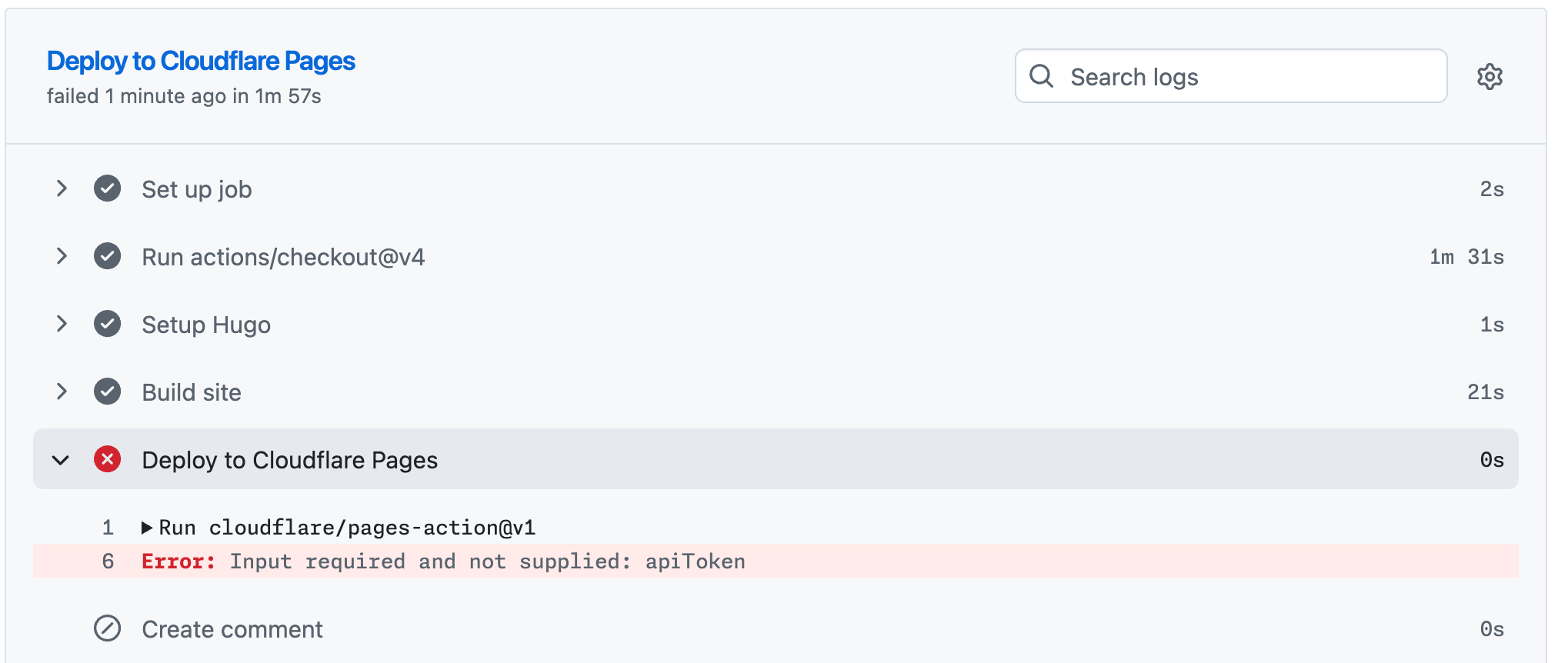
So why doesn’t it work?
Even though I’m passing ${{ secrets.CLOUDFLARE_API_TOKEN }} to the action, and I do know that secret exists in my repository settings, the action fails with authentication errors.
Reason: GitHub doesn’t expose repository secrets to workflows triggered by pull_request events from forked repositories.
This is a security feature to prevent malicious actors from stealing your secrets by submitting a PR that exfiltrates them.
Sooo… what now?
At the time of writing this blog (over a year after my initial implementation), I know of at least two ways to work around this limitation.
Let’s first explore the approach I took back then - before departing for my road trip.
Using potentially dangerous trigger
GitHub offers another event trigger for pull requests - pull_request_target.
Unlike workflow runs originating from the pull_request trigger, those triggered by the pull_request_target event run in the context of the base repository. This means:
- ✅ Repository secrets are accessible (even from forked PRs)
- ⚠️ Dangerous if you check out and run fork code
From the workflow above I had to change the event trigger:
on:
  pull_request_target: # instead of pull_request
    types:
      - labeled
and update the checkout step to checkout the forked repository:
      - uses: actions/checkout@v4
        with:
          submodules: recursive
          fetch-depth: 0
          # Potentially dangerous, shouldn't be used without the label trigger
          repository: ${{ github.event.pull_request.head.repo.full_name }}
          ref: ${{ github.event.pull_request.head.ref }}
⚠️ Security Warning: This approach is considered a dangerous practice.
By combining pull_request_target (which grants access to secrets) with an explicit checkout of the PR’s code, you are effectively running untrusted code with elevated permissions.
I won’t dive deep into the specifics here, but I highly recommend reading this article from GitHub Security Lab: Keeping your GitHub Actions and workflows secure.
Here’s the key:
- The workflow only runs when I explicitly trigger it by adding the label
- I would always review the code changes first before adding it.
Essentially, the label acts as a manual approval gate. If there were any suspicious changes in the PR, I simply wouldn’t add the label and the workflow wouldn’t run.
Is this ideal?
Definitely not.
Was there another way?
Yes.
Did I know about it?
No.
So that’s what I went with. That’s the workflow that was available to me when me and my wife were abroad for several months.
How did it go? Let’s find out…
Real-world test: deploying from Vietnam
Fast forward a few months, me and my wife have already bought our motorbike in Vietnam. I can’t remember exactly where we were, but one day I opened my GitHub Mobile app to review a PR that came in and something didn’t look right with one of the practice test questions being added.
I proceeded to add the request-preview-deployment label from my phone:
After a moment, the workflow kicked in. The preview environment was created and I received a URL to check it out myself.
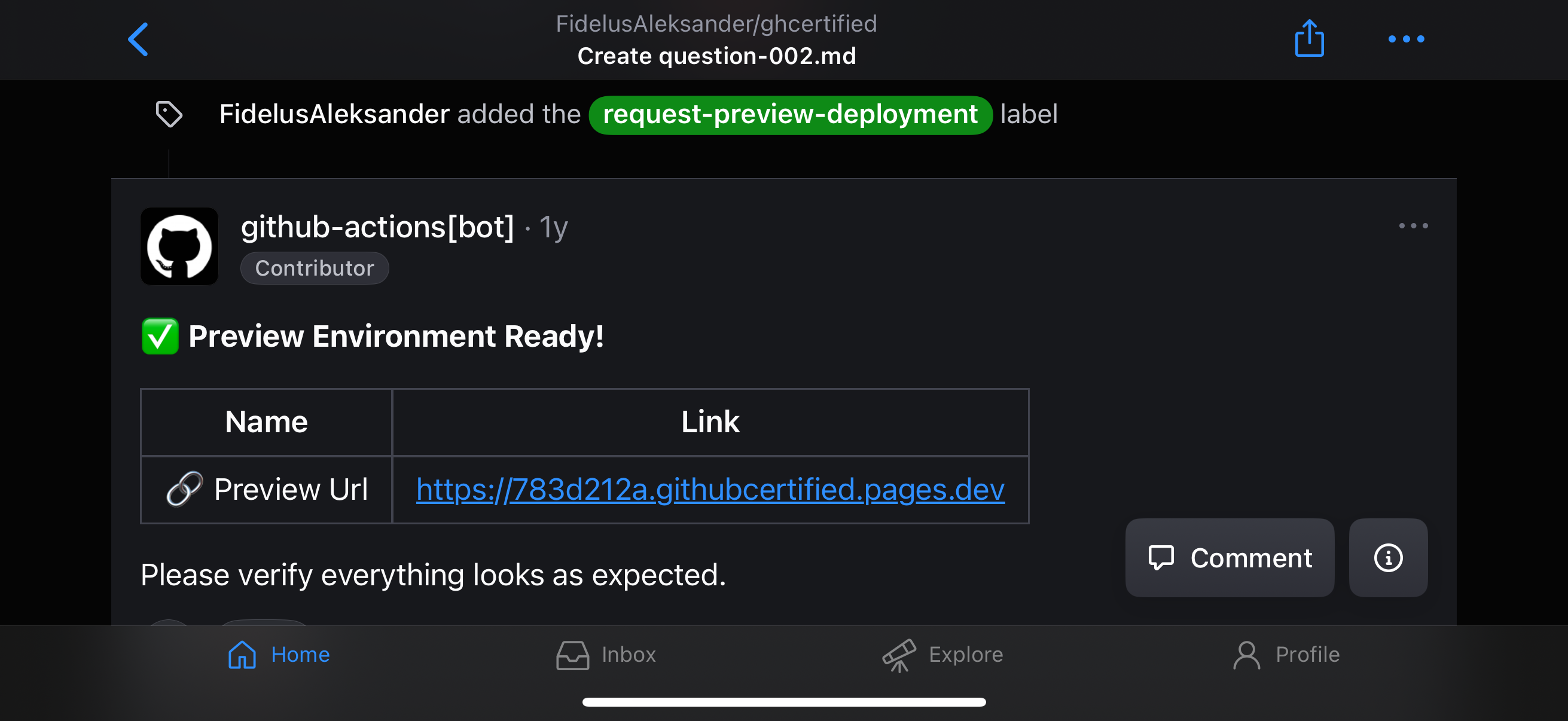
The PR was adding a new GitHub Copilot certification question using single-choice syntax but marked two answers as correct which caused it to not render properly.
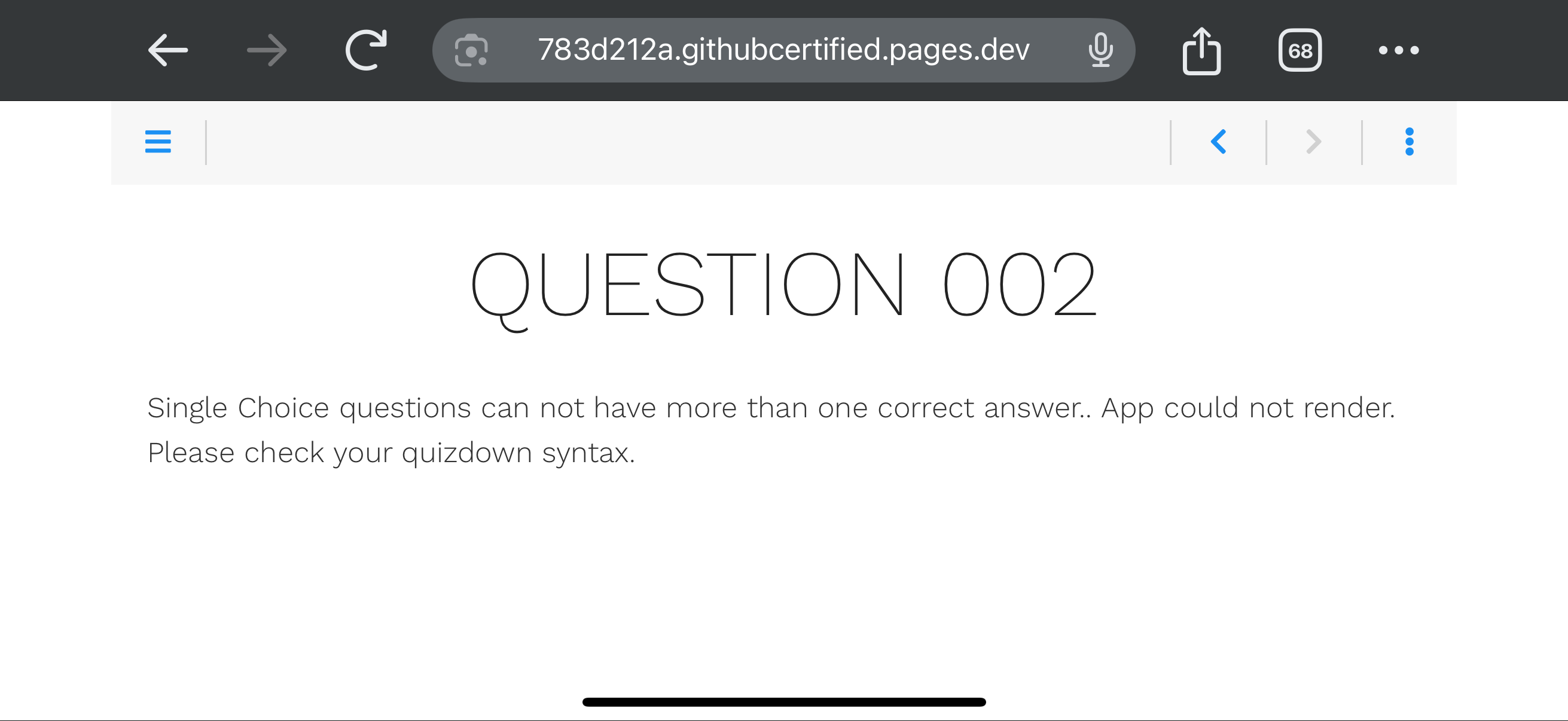
The preview deployment confirmed my suspicions: the question was malformed, breaking the practice test’s UI 💥.
I requested changes, but the submitter ultimately chose to close the PR rather than fix it.
Still, the system worked. The broken code never reached the main branch, saving me from headaches while trying to enjoy my vacation 🌴.
I count that as a win! 🏆
The Evolution: Two-Stage Deployment
Remember how I mentioned knowing at least two ways to run workflows that need secrets from forks?
Since returning from my trip, I’ve rebuilt the workflow to mitigate using the pull_request_target event trigger.
The flow remains the same from a user perspective—I still add a label to request a preview deployment.
What changed is that now I use a two-stage workflow pattern that separates the build process from the privileged deployment step.
Stage 1: The Unprivileged Build
This stage is triggered by pull_request events when the request-preview-deployment label is added.
Because we returned to using the pull_request event, secrets are not exposed to forks. This stage does not deploy to Cloudflare directly. Instead, it builds the site and uploads the static HTML as a GitHub Actions artifact.
Here is the complete workflow file for this stage (also available here on GitHub):
name: Preview Build

on:
  pull_request:
    types:
      - labeled

permissions:
  contents: read

jobs:
  build:
    name: Build Hugo Site
    if: github.event.label.name == 'request-preview-deployment'
    runs-on: ubuntu-latest
    steps:
      - name: Checkout PR code
        uses: actions/[email protected]
        with:
          submodules: recursive
          fetch-depth: 0

      - name: Setup Hugo
        uses: peaceiris/[email protected]
        with:
          hugo-version: '0.145.0'

      - name: Build site
        run: hugo

      - name: Upload build artifacts
        uses: actions/upload-artifact@v6
        with:
          name: hugo-build
          path: public/
          retention-days: 1
Stage 2: The Privileged Deploy
This stage is triggered after the completion of Stage 1 via the workflow_run event.
Workflow runs triggered by workflow_run events run in the context of the base repository (similarly to pull_request_target), so secrets are accessible.
However, in this scenario we do not check out any untrusted code. Instead, it simply downloads the artifact produced in Stage 1 and deploys it to Cloudflare Pages.
Here is the workflow configuration for the deployment stage (also available here on GitHub):
name: Preview Deploy

on:
  workflow_run:
    workflows: ["Preview Build"]
    types:
      - completed

permissions:
  contents: read
  actions: read
  deployments: write
  pull-requests: write

jobs:
  deploy:
    name: Deploy to Cloudflare Pages
    if: github.event.workflow_run.conclusion == 'success'
    runs-on: ubuntu-latest
    steps:
      - name: Download build artifacts
        uses: actions/download-artifact@v7
        with:
          name: hugo-build
          path: public/
          github-token: ${{ secrets.GITHUB_TOKEN }}
          run-id: ${{ github.event.workflow_run.id }}

      - name: Deploy to Cloudflare Pages
        id: deploy
        uses: AdrianGonz97/refined-cf-pages-action@v1
        with:
          apiToken: ${{ secrets.CLOUDFLARE_API_TOKEN }}
          accountId: ${{ secrets.CLOUDFLARE_ACCOUNT_ID }}
          githubToken: ${{ secrets.GITHUB_TOKEN }}
          projectName: ${{ vars.CLOUDFLARE_PROJECT_NAME }}
          directory: public
This pattern makes deploying from forks secure by design. Untrusted code stays in the unprivileged build stage, while secrets stay in the privileged deployment stage—meeting in the middle only as a static artifact.
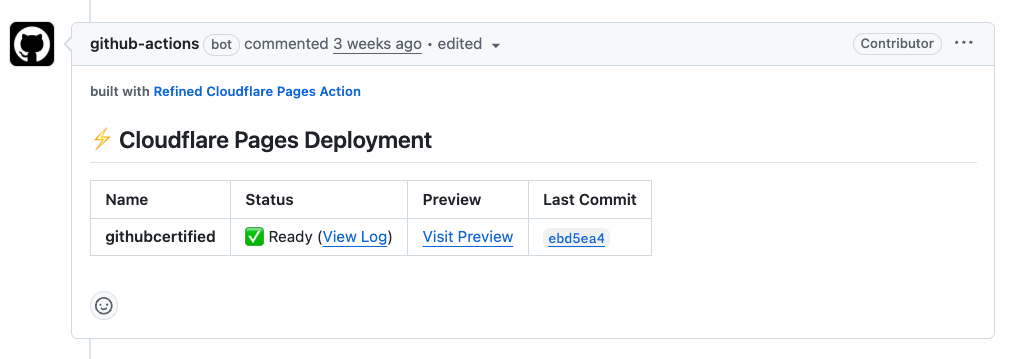
I’ve also replaced the cloudflare/pages-action that has been since deprecated with AdrianGonz97/refined-cf-pages-action that offers better support for this two-stage deployment pattern and automatically creates PR comments with the preview URL.
Summary
So, bringing it back to the trip that started it all…
I used the original workflow exactly once during what turned out to be a 4-month trip.
So, was it worth it?
🔥 Hell yeah!
Not necessarily because I caught that one syntax error—I probably would have spotted that without the preview deployment.
It was worth it for the learning opportunity and simply because I wanted to do it. Sometimes that’s all you need.
So next time you have an idea, just go build it. You might learn something new or have a cool story to tell.