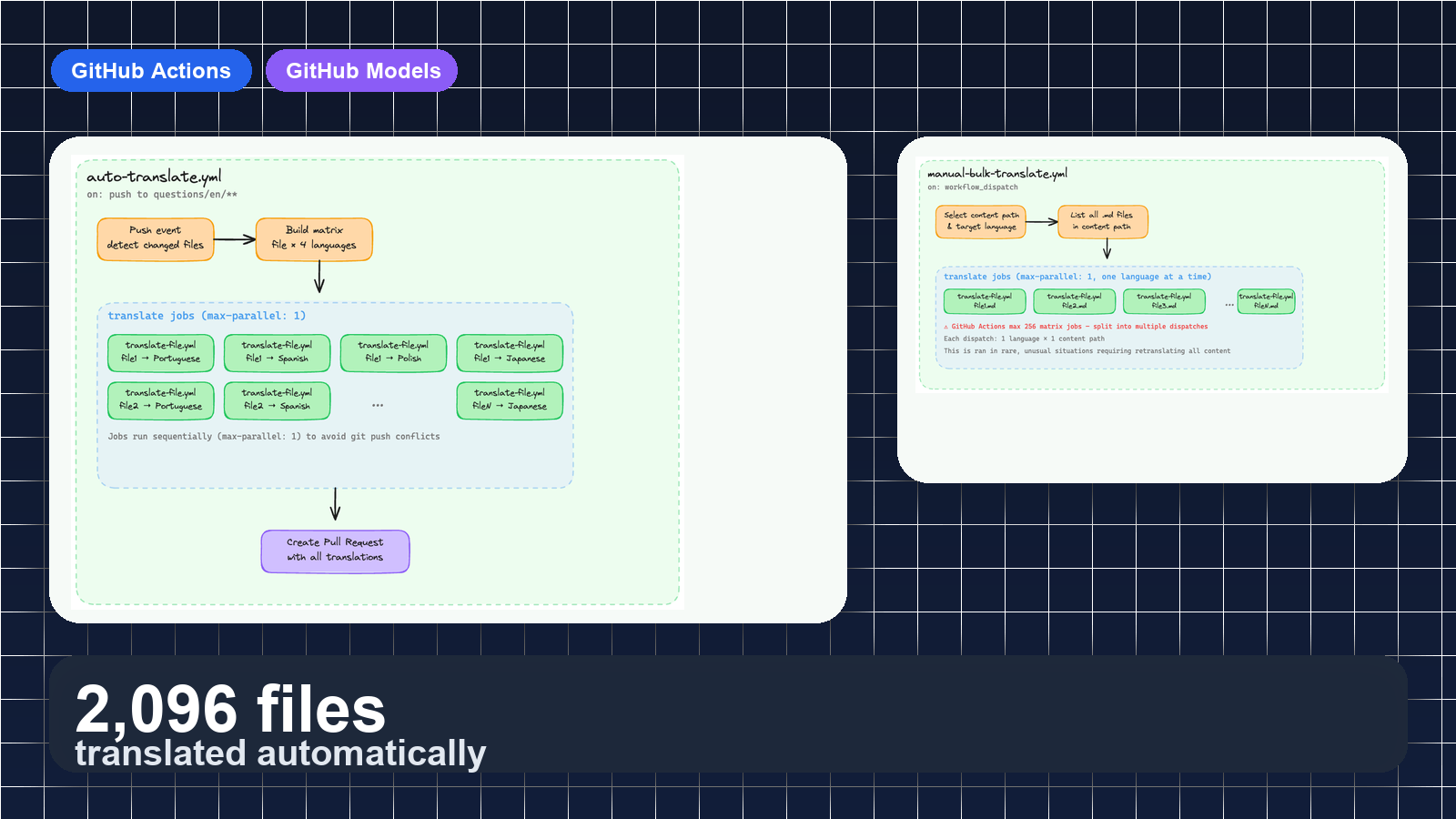
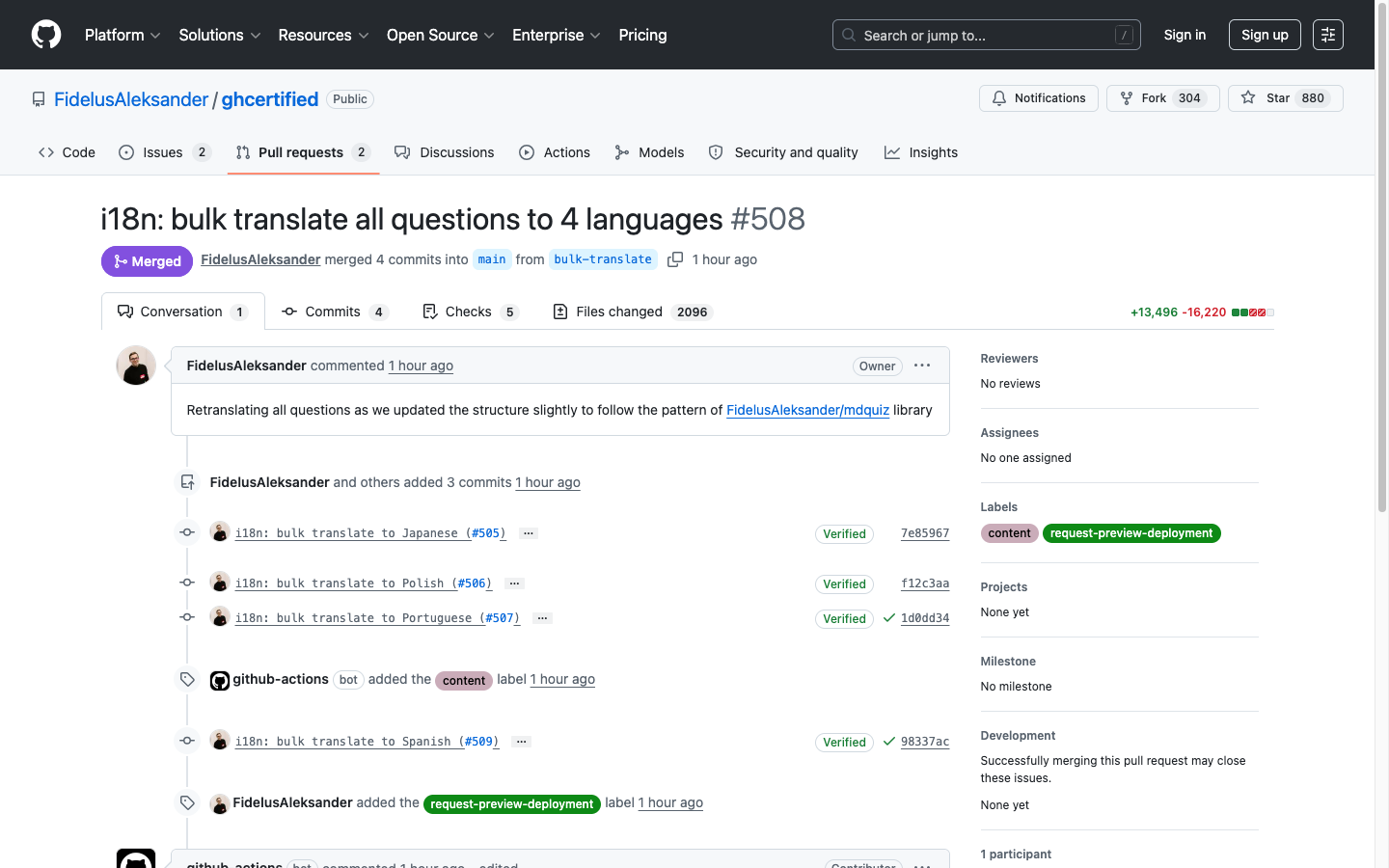
I recently merged a pull request that changed 2096 files. Not a single file was translated by hand.
ghcertified.com — an open source project I maintain — hosts 524 practice questions for GitHub certification exams across 5 categories. The site supports 5 languages: English, Portuguese, Polish, Spanish, and Japanese. That’s over 2,600 question files to keep in sync.
English is the source of truth. The community submits new questions only in English, but I want everyone to be able to practice in their own language. So I built a translation pipeline with GitHub Actions and GitHub Models that handles it all automatically.
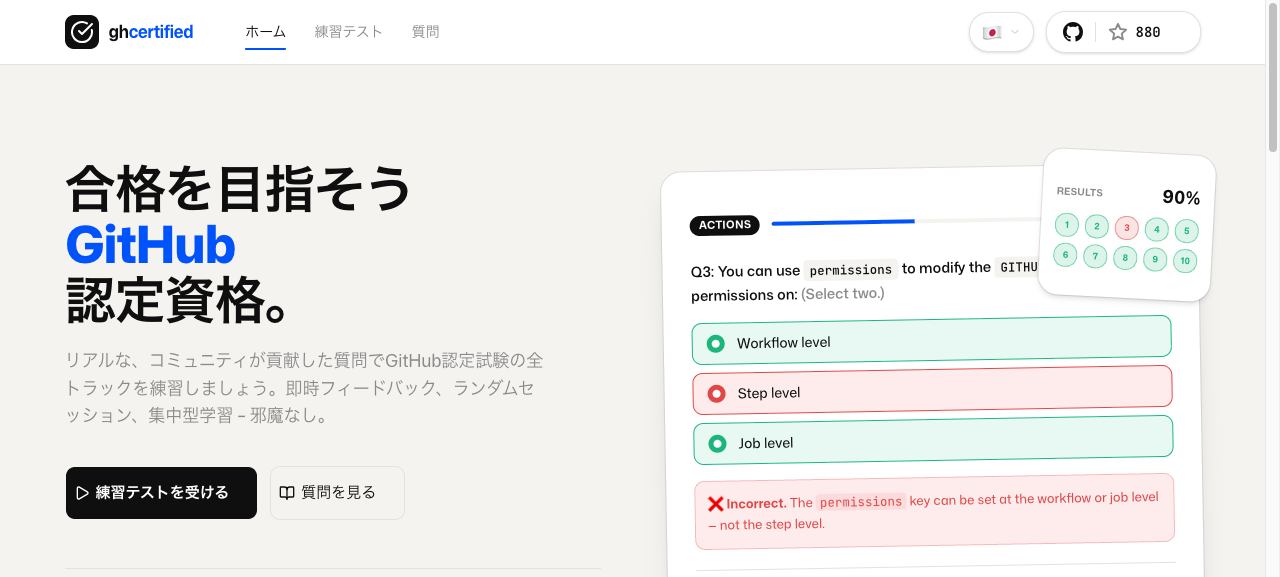
In this post I’ll walk you through how it works, from the single-file translation workflow all the way up to the 2096-file bulk retranslation.
Translating a Single File
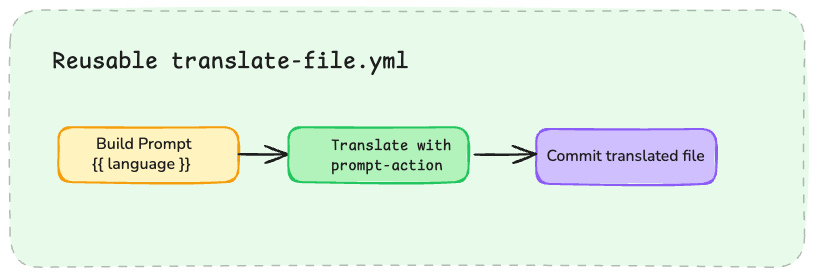
Everything starts with translate-file.yml — a reusable workflow that translates one file to one language. Every other workflow in the system calls this one.
name: Translate a File

on:
  workflow_call:
    inputs:
      file:
        required: true
        type: string
      language_code:
        required: true
        type: string
      language_name:
        required: true
        type: string
      branch:
        required: false
        type: string
        default: 'i18n/update-translations'
The job has four steps:
- Checkout the repository
- Build the system prompt — inject the target language into a prompt template
- Translate — send the file to GitHub Models via prompt-action
- Save and commit — write the translated file to the correct language directory
- name: Translate file
  uses: FidelusAleksander/prompt-action@v1
  id: translate
  with:
    system-prompt: ${{ steps.build-system-prompt.outputs.updated-text }}
    prompt-file: ${{ inputs.file }}

- name: Save translation
  run: |
    FILE="${{ inputs.file }}"
    LANG="${{ inputs.language_code }}"
    TARGET_PATH="${FILE/questions\/en/questions\/$LANG}"
    mkdir -p "$(dirname "$TARGET_PATH")"
    echo "$TRANSLATED_TEXT" > "$TARGET_PATH"
  env:
    TRANSLATED_TEXT: ${{ steps.translate.outputs.text }}
The path substitution ${FILE/questions\/en/questions\/$LANG} maps questions/en/actions/question-001.md to questions/pt/actions/question-001.md.
One permission line makes it all work:
permissions:
  models: read
That single permission grants access to GitHub Models from within a workflow. No API keys and no external translation service to wire up.
Side note on reusable workflows: Right now, running my prompt-action from a reusable workflow is really the only way to fan out translations per file. GitHub Actions doesn’t support parallel steps within a single job yet. But that’s on the public roadmap for Q2 2026 — when it ships, it could change how I structure this entirely.
The prompt itself is pretty boring by design: preserve structure, translate the human-readable text, keep code and links intact, and keep GitHub terminology consistent. The {{ targetLanguage }} value gets injected at runtime using skills/action-text-variables, so one template covers all 4 target languages.
System prompt excerpt
You are a highly skilled {{ targetLanguage }} translator specializing
in technical documentation and GitHub certification content.

## Translation Rules

### Content Preservation
- Preserve the meaning, tone, formatting, structure, and style
- Keep frontmatter keys unchanged (translate only values)

### Technical Elements
- Keep technical terms, code blocks, and code examples in their original form
- Keep URLs, file paths, and image references unchanged

### GitHub Nomenclature
- GitHub, Git, Actions, Workflows, Copilot, CodeQL, Dependabot
- Pull Request, Repository, Commit, Branch, Fork, Issue
- GitHub Foundations, GitHub Actions, GitHub Advanced Security...
Here’s a real question before and after translation to Portuguese: English (source): Portuguese (translated): The What a translated question looks like
---
question: "Which statement is correct regarding passing permissions
  to reusable workflows?"
documentation: "https://docs.github.com/en/actions/..."
---

- [x] The `GITHUB_TOKEN` permissions passed from the caller workflow
  can be only downgraded by the called workflow.
- [ ] The `GITHUB_TOKEN` permissions passed from the caller workflow
  can be only elevated by the called workflow.
---
question: "Qual declaração está correta em relação ao repasse
  de permissões para workflows reutilizáveis?"
documentation: "https://docs.github.com/en/actions/..."
---

- [x] As permissões do `GITHUB_TOKEN` repassadas do workflow
  chamador só podem ser reduzidas pelo workflow chamado.
- [ ] As permissões do `GITHUB_TOKEN` repassadas do workflow
  chamador só podem ser elevadas pelo workflow chamado.
documentation URL stays untouched, markdown structure is preserved, and inline code like GITHUB_TOKEN remains in English.
Auto-Translating on Every Push
With the single-file workflow in place, the next step was automating it. I wanted translations to happen automatically whenever English content changes on main.
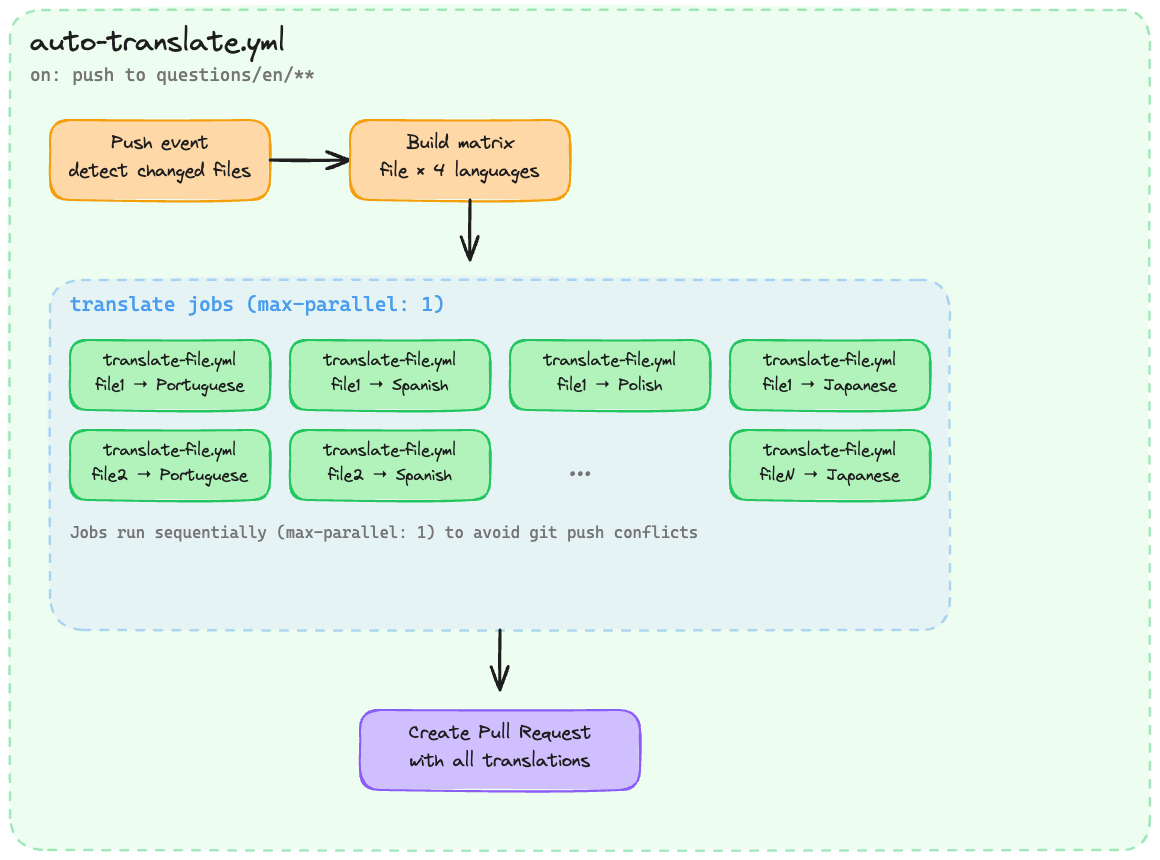
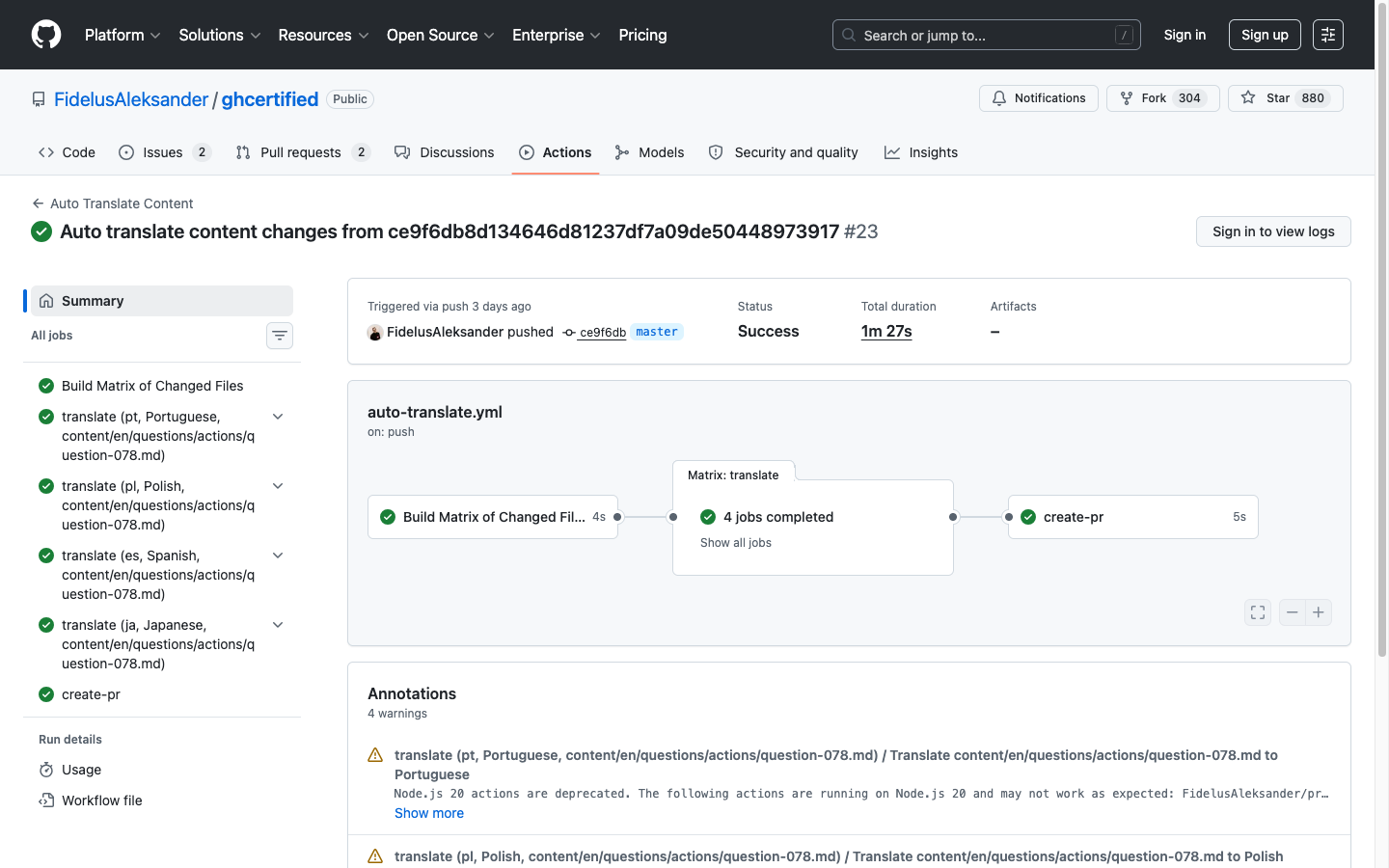
auto-translate.yml handles this:
on:
  push:
    branches:
      - main
    paths:
      - "questions/en/**"
Someone merges a new community-contributed question? The pipeline kicks in.
The first job detects which files changed:
- name: Get changed files
  id: changed-files
  uses: tj-actions/changed-files@v47
  with:
    matrix: true
    files: |
      questions/en/**
The matrix: true flag outputs changed files as JSON, ready to feed into a matrix strategy. Then each changed file gets translated into all 4 target languages:
translate:
  needs: detect-changes
  strategy:
    max-parallel: 1
    matrix:
      language:
        - { code: "pt", name: "Portuguese" }
        - { code: "pl", name: "Polish" }
        - { code: "es", name: "Spanish" }
        - { code: "ja", name: "Japanese" }
      file: ${{ fromJSON(needs.detect-changes.outputs.changed_files) }}
  uses: ./.github/workflows/translate-file.yml
  with:
    file: ${{ matrix.file }}
    language_code: ${{ matrix.language.code }}
    language_name: ${{ matrix.language.name }}
    branch: i18n/auto-translate-${{ github.sha }}
If 3 files changed, that’s 3 × 4 = 12 translation jobs.
max-parallel: 1 is important here. Each job commits to the same branch, so running them in parallel would cause git push conflicts.
After all translations finish, a final job opens a pull request with the changes:
- name: Create Pull Request
  run: |
    gh pr create \
      --title "i18n: auto-translate content changes" \
      --body "Translations for content from commit ${{ github.sha }}." \
      --base main \
      --head i18n/auto-translate-${{ github.sha }}
Who Reviews the Translations?
Every translation lands in a pull request, never directly on main.
In a team setting, you could set up separate PRs per language and use CODEOWNERS to automatically assign native speakers as reviewers — a Portuguese speaker reviews questions/pt/**, a Japanese speaker reviews questions/ja/**, and so on.
I’m a one-person team on this project, so I just merge the PRs myself. Sometimes native speakers from the community come in and suggest improvements to the translations, which I welcome and merge as well.
Bulk Translating Everything
The auto-translate pipeline ran quietly for months, handling a few files here and there as the community contributed new questions. Then I migrated ghcertified.com to Next.js.
As part of the migration, I created mdquiz — a library for parsing markdown quiz files. The frontmatter structure and formatting of every question file changed. All 524 English questions got updated, which meant every existing translation was stale.
I needed to retranslate everything.
That’s what manual-bulk-translate.yml is for:
name: Manual Bulk Translate

on:
  workflow_dispatch:
    inputs:
      content_path:
        description: "Path to content directory to translate"
        default: "questions/en"
        type: string
      language_code:
        description: "Language code to translate to"
        type: choice
        options: [pt, pl, es, ja]
      language_name:
        description: "Language name"
        type: choice
        options: [Portuguese, Polish, Spanish, Japanese]
Triggered manually from the GitHub Actions UI — pick the content path and target language, hit go.
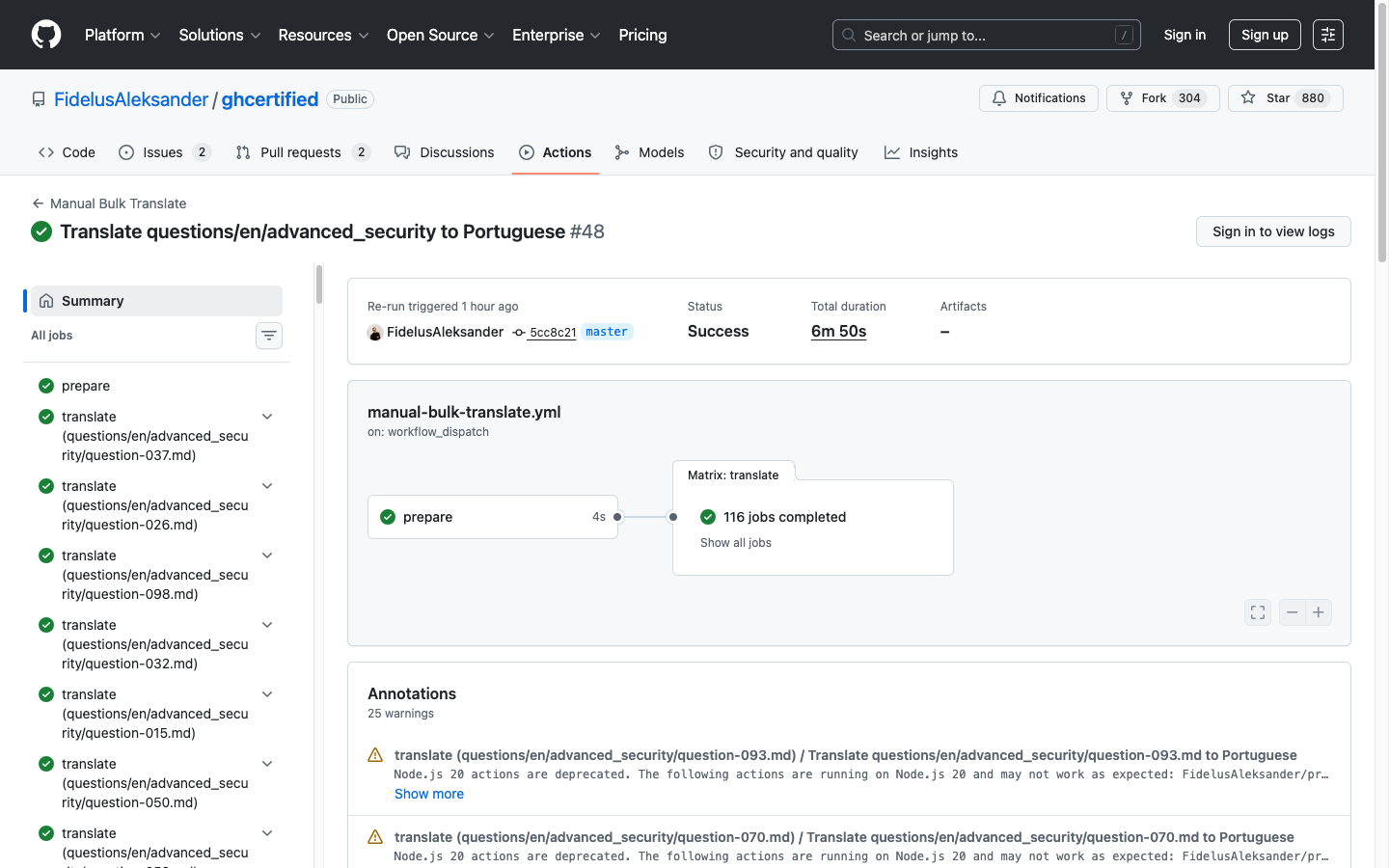
The prepare job collects every markdown file in the directory, then the matrix fans out — calling the same translate-file.yml for each one:
- name: Get all .md files
  id: get-files
  run: |
    files=$(find ${{ inputs.content_path }} -type f -name "*.md" \
      | jq -R -s -c 'split("\n")[:-1]')
    echo "files=$files" >> "$GITHUB_OUTPUT"
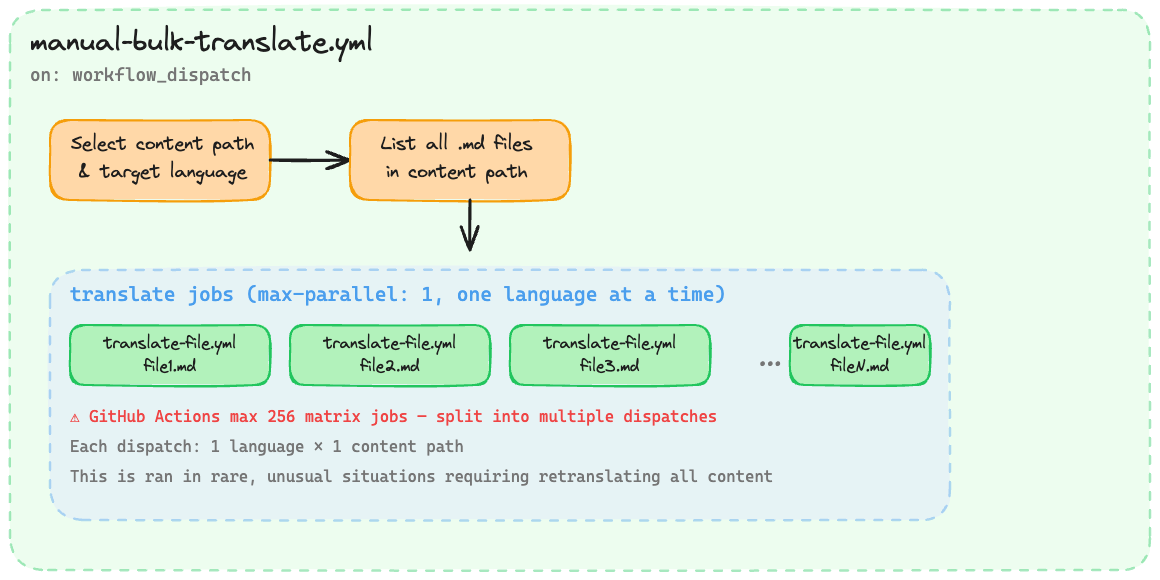
There’s a catch though — GitHub Actions has a maximum of 256 jobs per matrix. With 524 questions across 5 exam categories, I couldn’t translate everything in a single run. I had to split it up by category and run multiple dispatches per language.
That meant a lot of clicking. 5 categories × 4 languages = 20 workflow dispatches. Not exactly one-click, but still vastly better than translating 2,096 files by hand.
The final result? PR #508 — 2096 files changed, 13,496 additions, 16,220 deletions.
Wrapping Up
What started as a single translate-file.yml grew into a system that keeps 2,600+ files across 5 languages in sync — automatically on every push, and manually when I need to redo everything.
Those 2096 files from the opening? A bunch of workflow dispatches, some patience, and zero hand-written translations.
If you want to build something similar, the ghcertified workflows are all open source. Check out prompt-action if you want to use GitHub Models in your own workflows.
And if you liked the diagrams in this post, I made them with Excalidraw MCP. The agent skill that made that workflow usable is covered in this post by Thomas Thornton.